How it works

See how Ettihad runs your building's money.

From a due to a paid receipt — and the credit in between. Here's the flow, end to end.

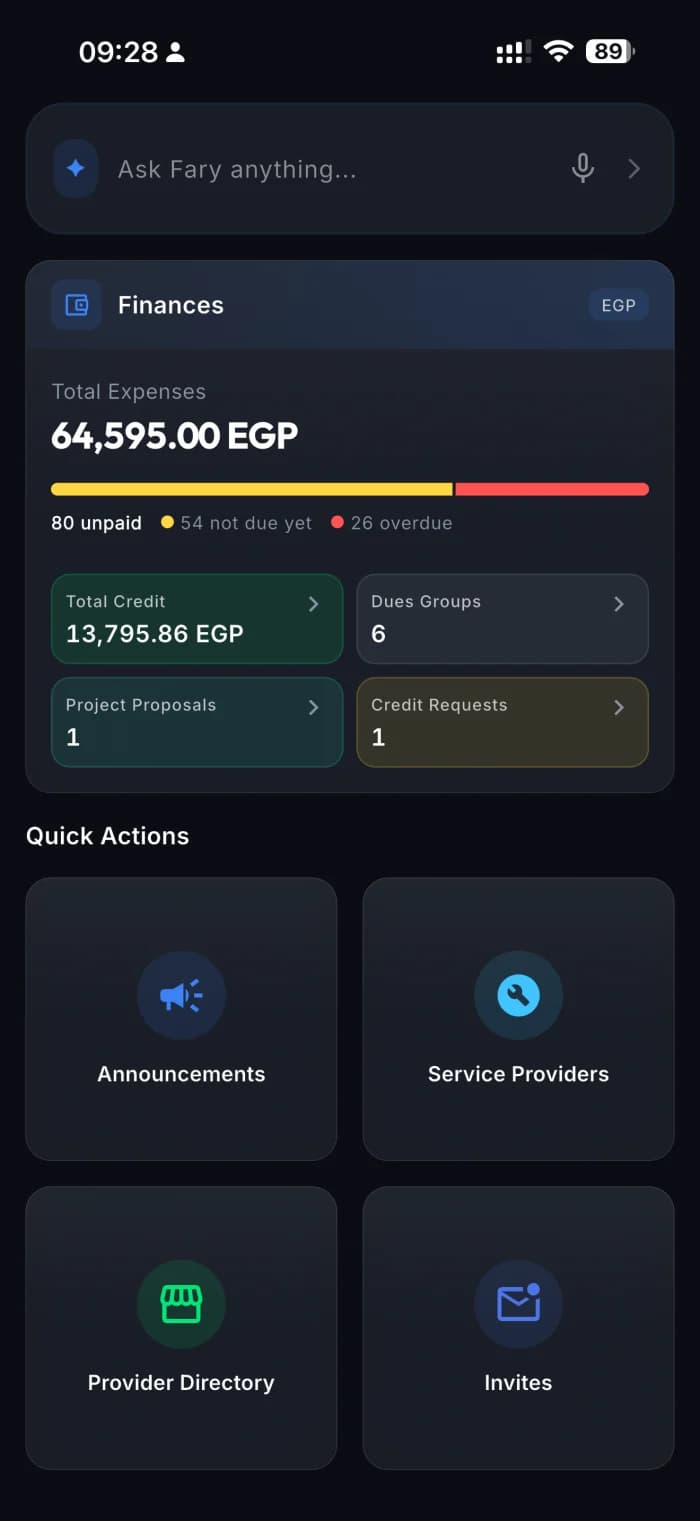
Your home base

Your whole building, at a glance.

Open the app to a clear financial summary — what's owed, what's active, and quick ways into everything.

  • Financial summary up top — totals and active dues
  • Quick actions to proposals, service providers and announcements
  • Your dues and your balance, one tap away
Your home base
Expenses & receipts

Every expense, down to the receipt.

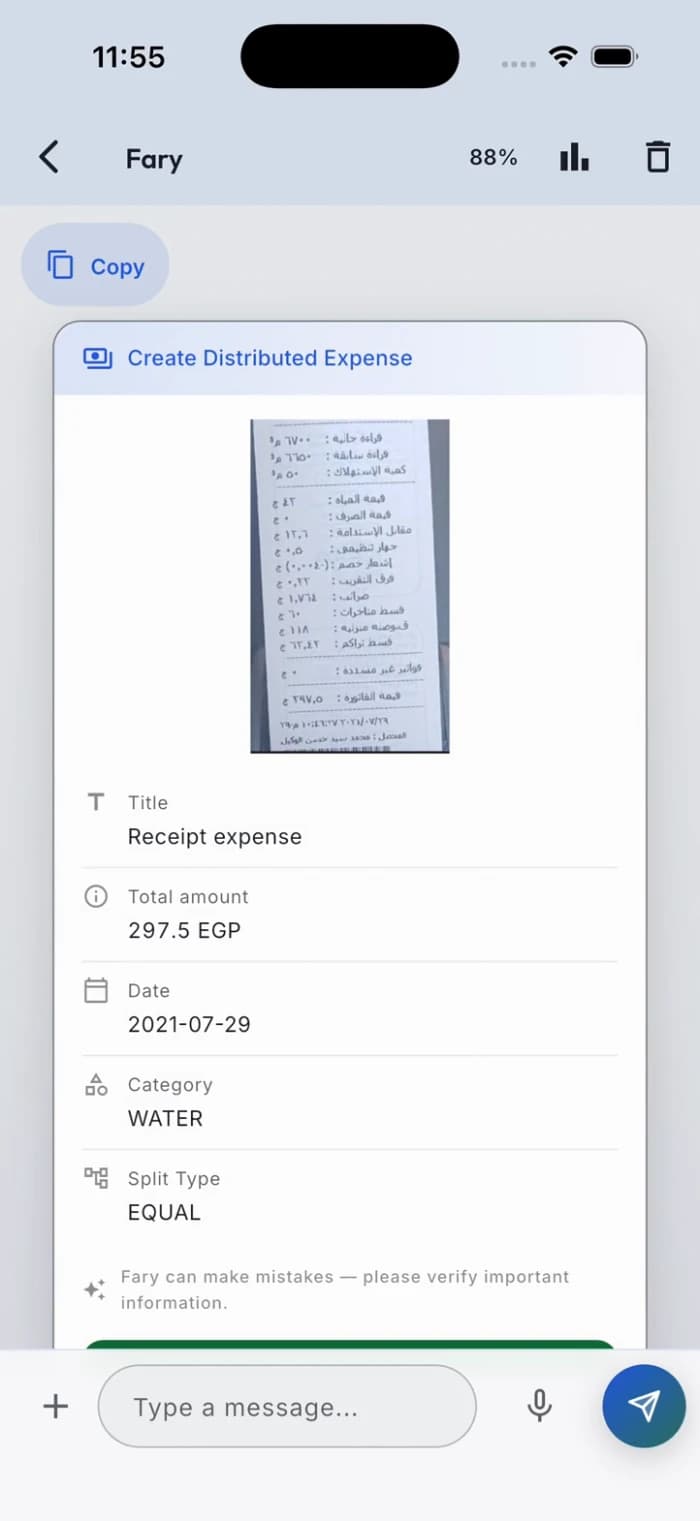
Log what the building spends, scan the paper receipt, and turn the cost into dues — without a spreadsheet in sight.

  • Scan the receipt — the amount and date fill themselves in
  • Split any expense across units: equally, by area (m²), or per member
  • One running ledger, with the proof attached to every line
Expenses & receipts
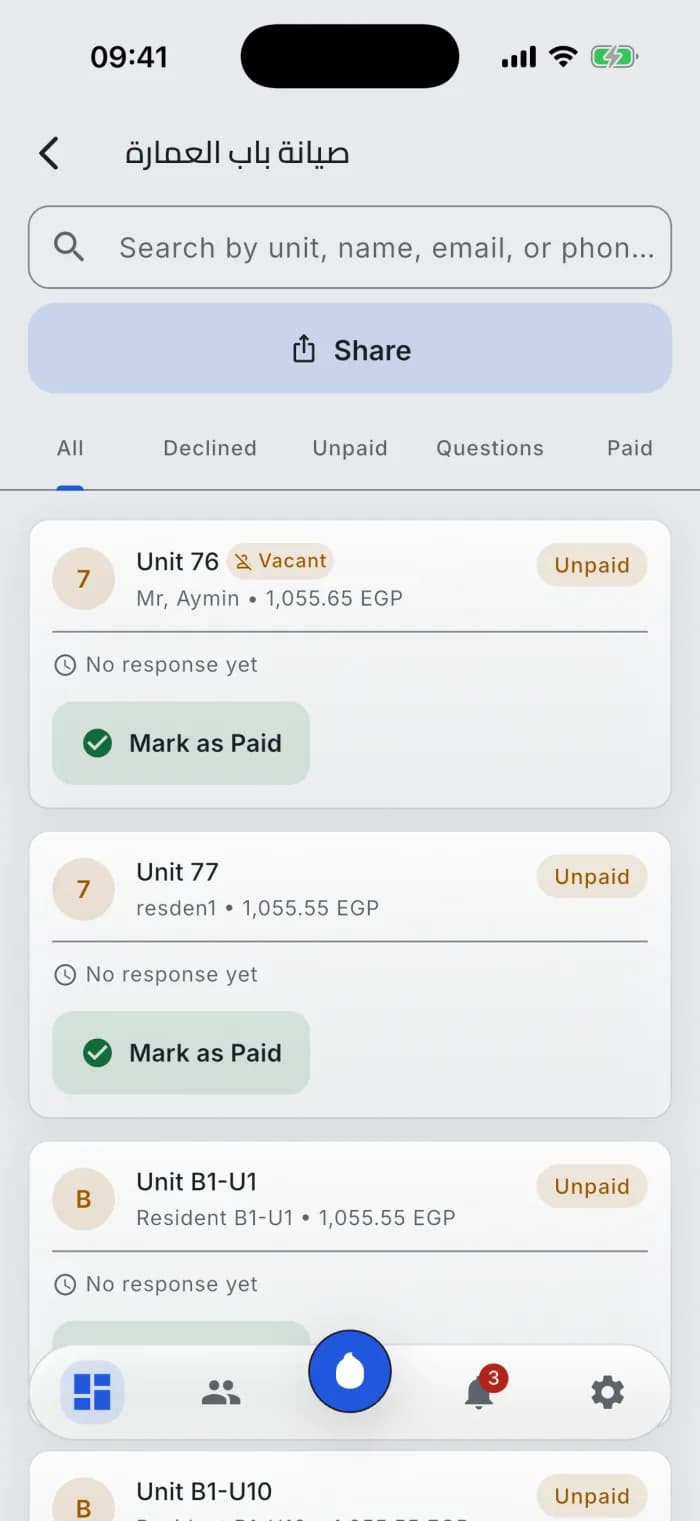
Dues & payments

Money, handled transparently.

Ettihad keeps the record; the money settles directly between residents and the building.

  1. 1
    Create the dues
    Add an expense or due and split it — equally, by area (m²), per member, or a custom amount.
  2. 2
    Residents pay & attach proof
    They pay on the community's own rail — InstaPay, bank transfer, and more — and upload the receipt.
  3. 3
    The app reads the receipt
    Ettihad extracts the amount and date from the proof to speed up your review.
  4. 4
    You approve — it's settled
    Approve and the due is marked paid; the settlement ledger updates, partial payments included.

Your money never flows through us — Ettihad holds the record, not the cash.

Country-aware rails: InstaPay in Egypt · SARIE in Saudi Arabia · Aani in the UAE · bank transfer and your own payment instructions in Jordan, Qatar, Iraq, and Lebanon.

Dues & payments
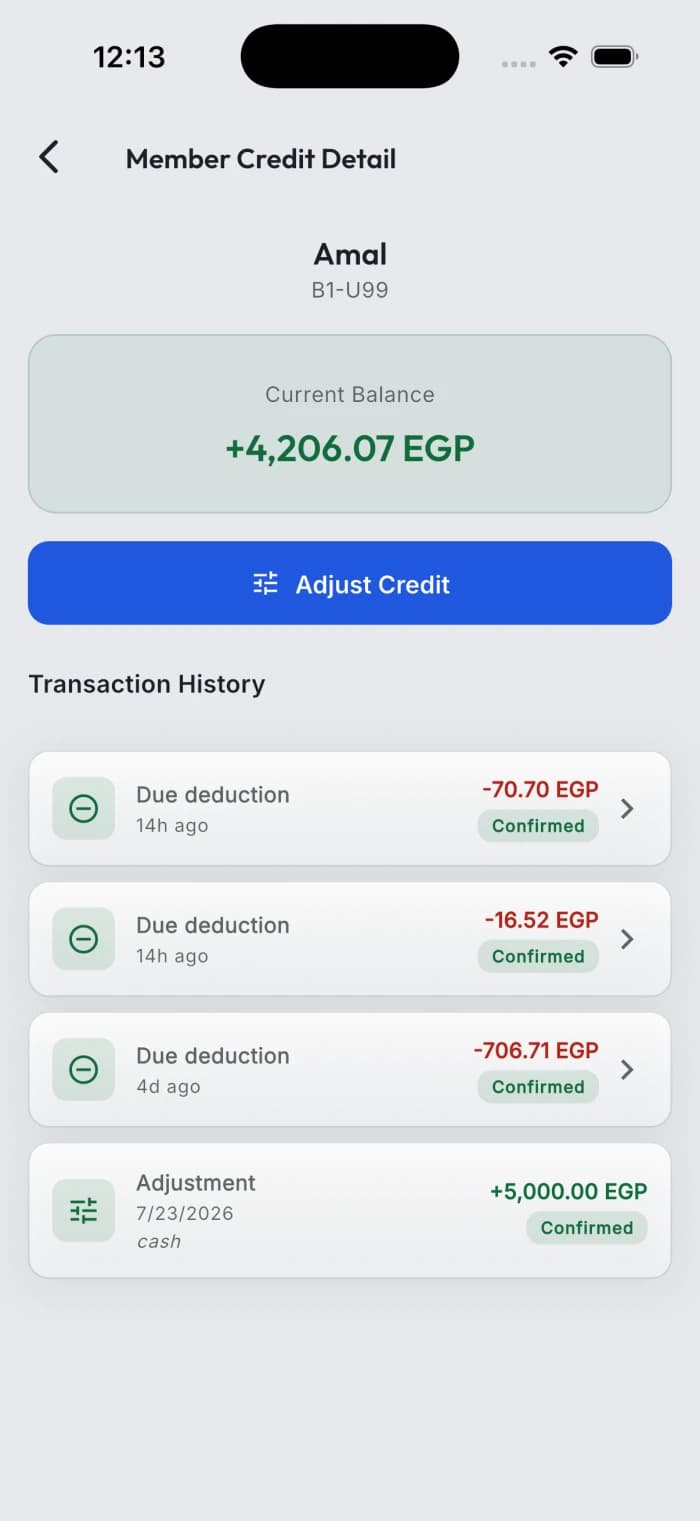
Member credit

A balance that makes dues effortless.

Members can keep credit on their account and pay dues from it in a tap.

  1. 1
    Top up
    A member adds credit and attaches a receipt; you approve it.
  2. 2
    Pay dues from credit
    Future dues are paid straight from the balance — no new transfer needed.
  3. 3
    A clear history
    Every top-up, payment and adjustment is on an append-only ledger.
Member credit
Access & gates
Access & gates

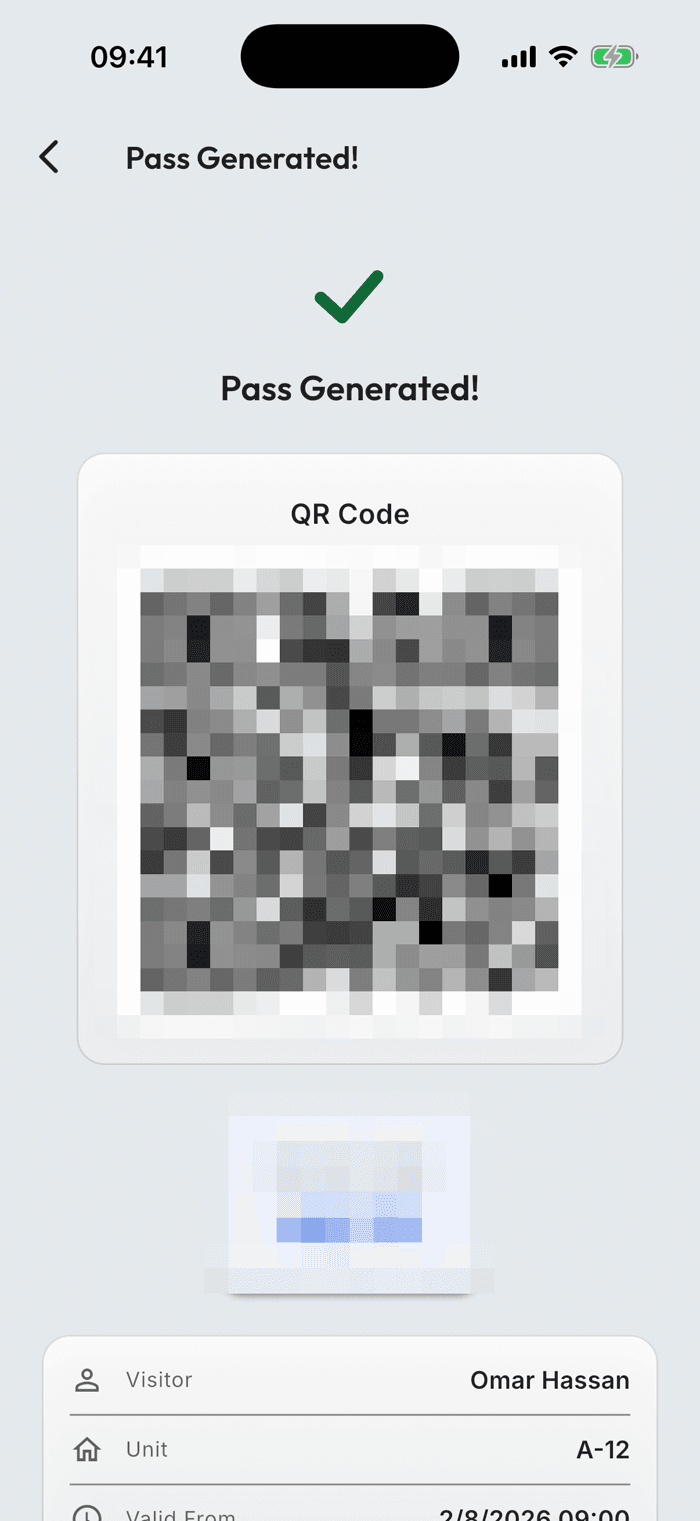
Gate passes, sorted.

Issue QR access passes for residents and visitors — and see exactly when a guard scanned each one.

  • QR passes for residents and visitors
  • Set who it's for, the unit, and how long it stays valid
  • A scan history on every pass — by guard, with timestamps
Invites & onboarding

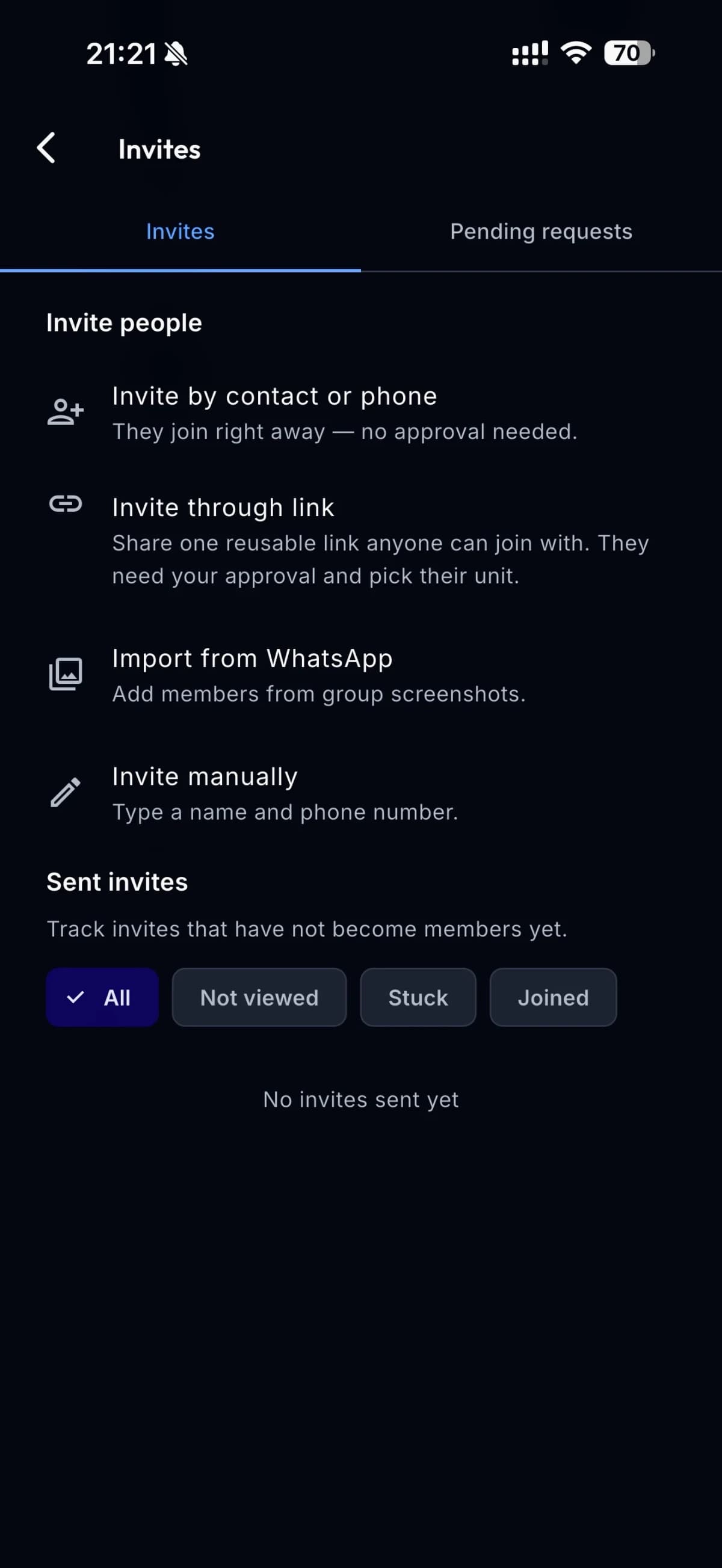
Get your neighbors in, three ways.

Bring residents into the community from your contacts, with a link you share, or by adding them by hand — whichever suits your building.

  • Import residents straight from your contacts
  • Share one invite link through the device's standard share sheet
  • Add a resident by hand when there's no number to send to
You're in control

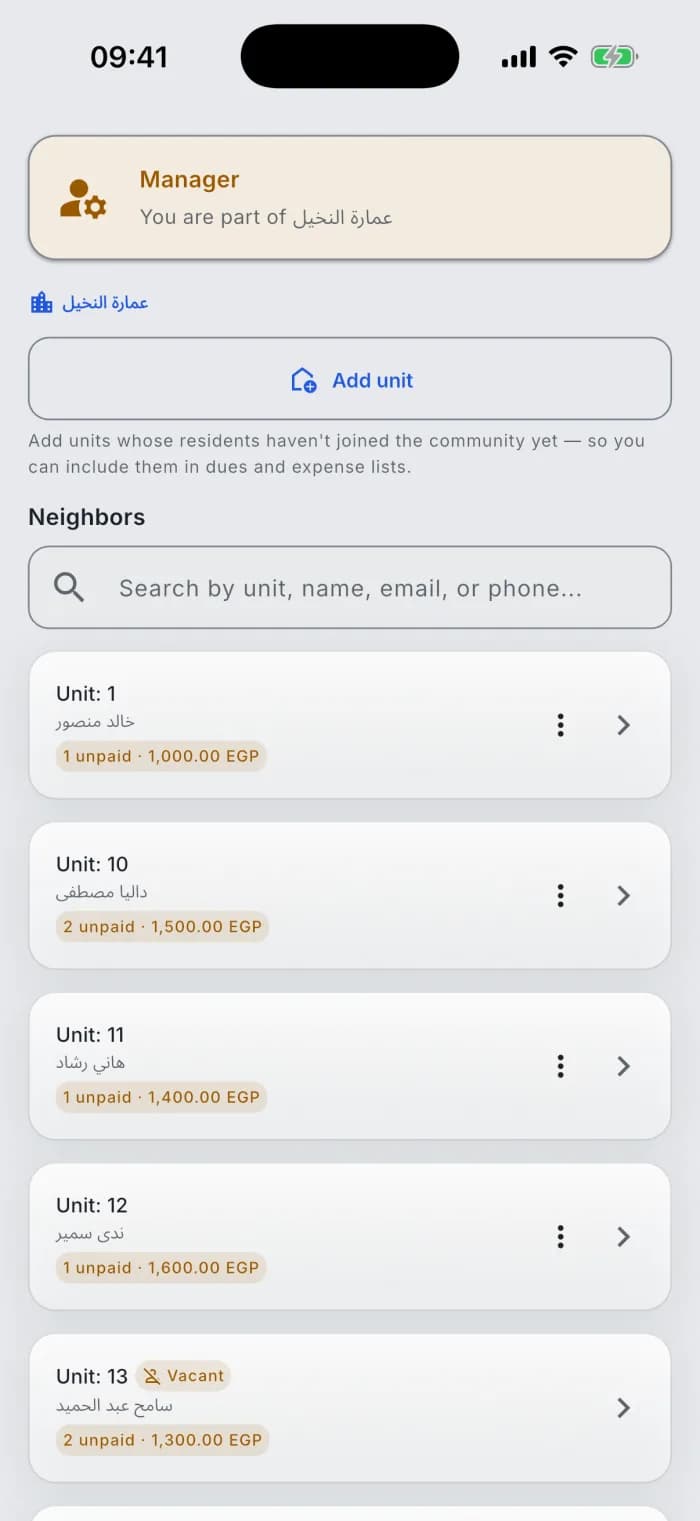
Manage members, your way.

See every unit and resident, and manage roles and access without ever leaving the app.

  • Promote another human member as a community co-manager or transfer the manager role
  • Remove a member or revoke admin in a tap
  • Every unit, resident and contact in one list
You're in control
Statements & sharing

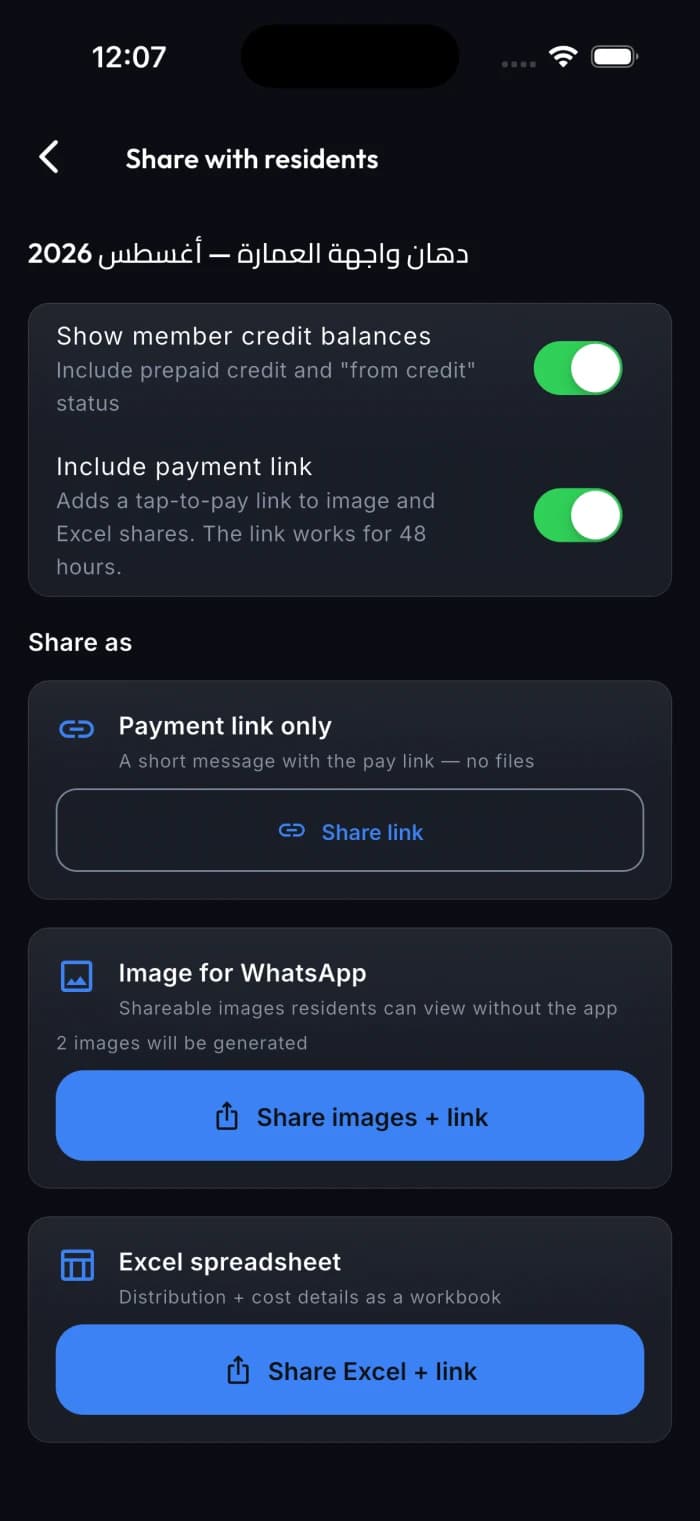
Send the numbers where everyone already is.

Generate the building's statement as images or an Excel file, then choose where to share it from the device's standard share sheet — app or no app.

Statements & sharing
  • Share clear statement images from the device's standard share sheet
  • Export the ledger as an Excel file when you need the detail
  • Generate a 48-hour page for a unit's balance and payment instructions
Building money

Know where the building's money stands.

A statement for one unit or the whole building, what's left after expenses, and the money the building keeps aside.

  • Unit statement: any period up to 2 years, shared as images or Excel — residential buildings
  • Left after expenses: collected minus spent, on the manager's dashboard — buildings and existing social and family groups
  • Building funds: pay all or part of a bill from a building fund; residents are billed only for the rest — residential buildings
  • Building statement: one Excel file for the whole building, prepared in the background — residential buildings
Community issues

Report a problem, see it through.

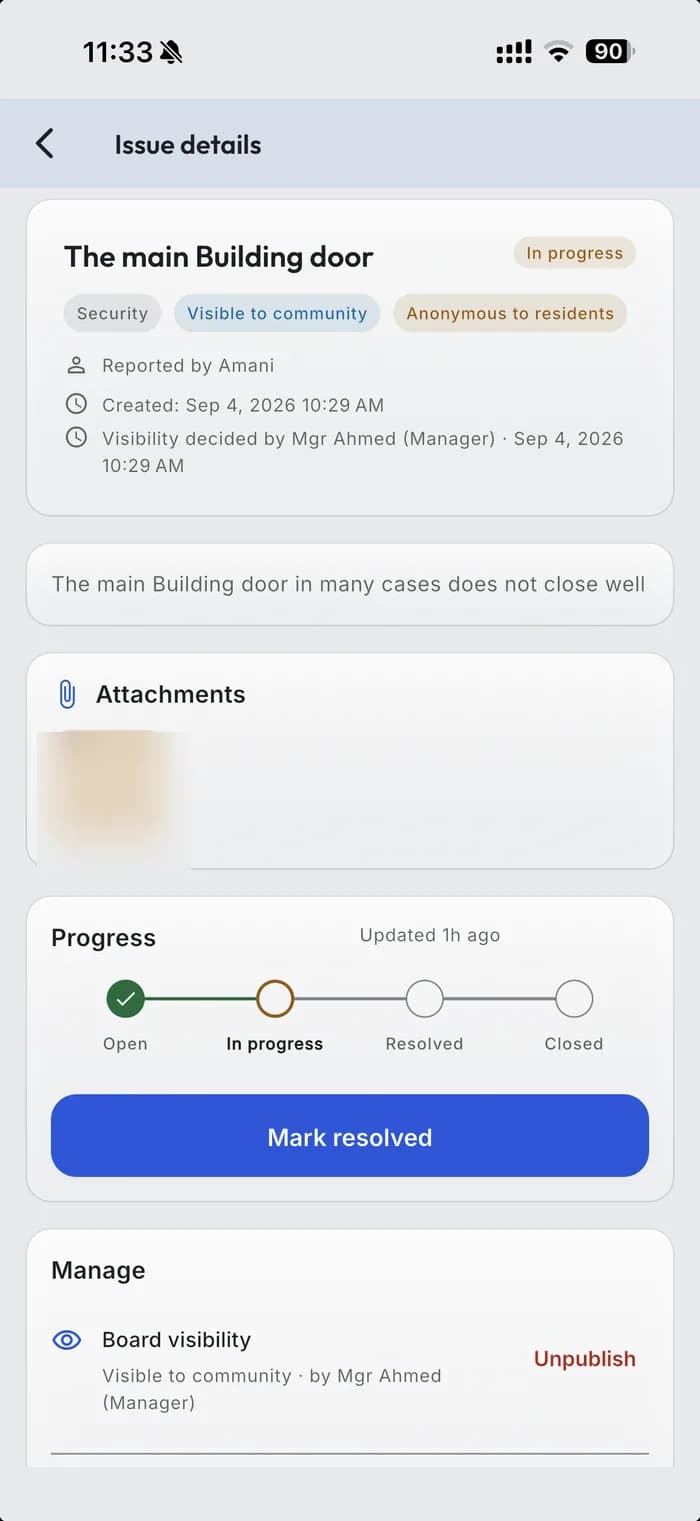
From filing an issue to a manager marking it resolved — with photos, categories, status and an identity-free community board.

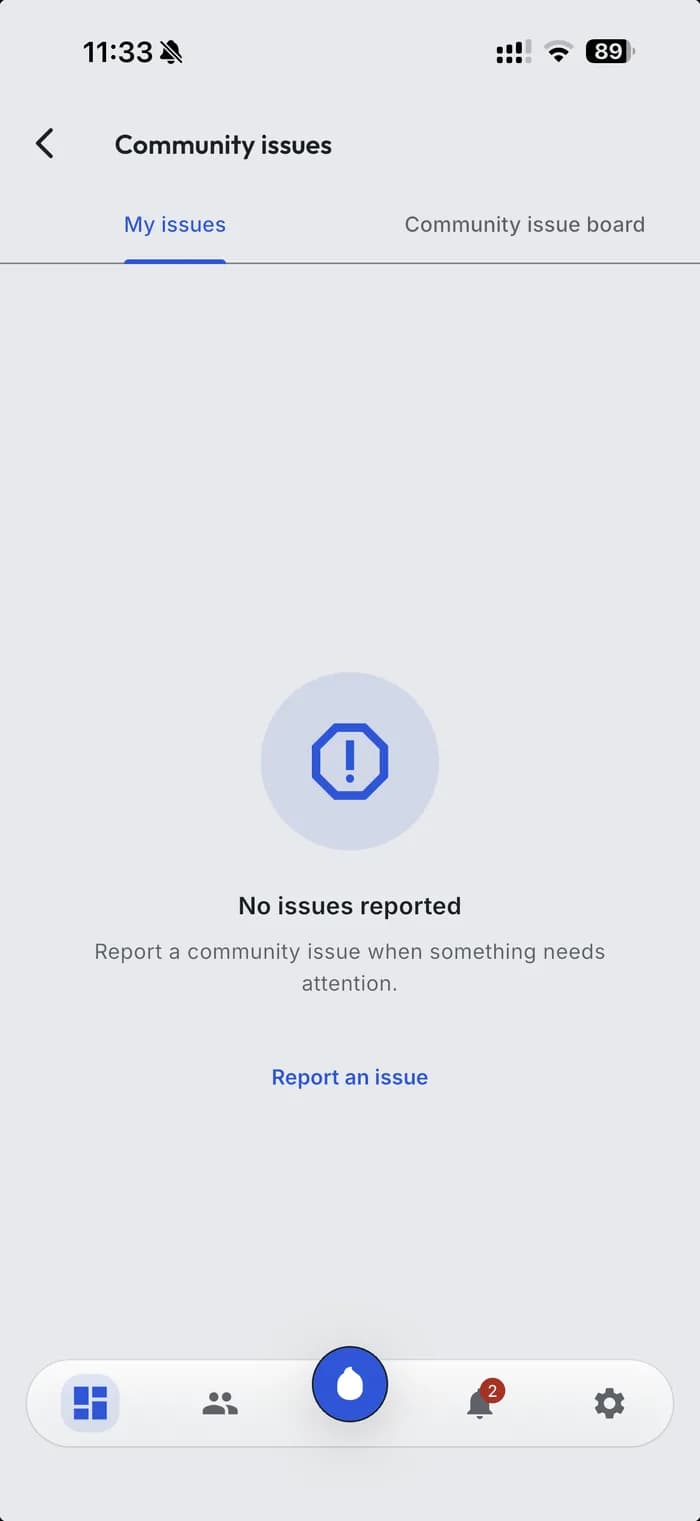
Your issues
Your issues

Every issue you've filed, each with its live status.

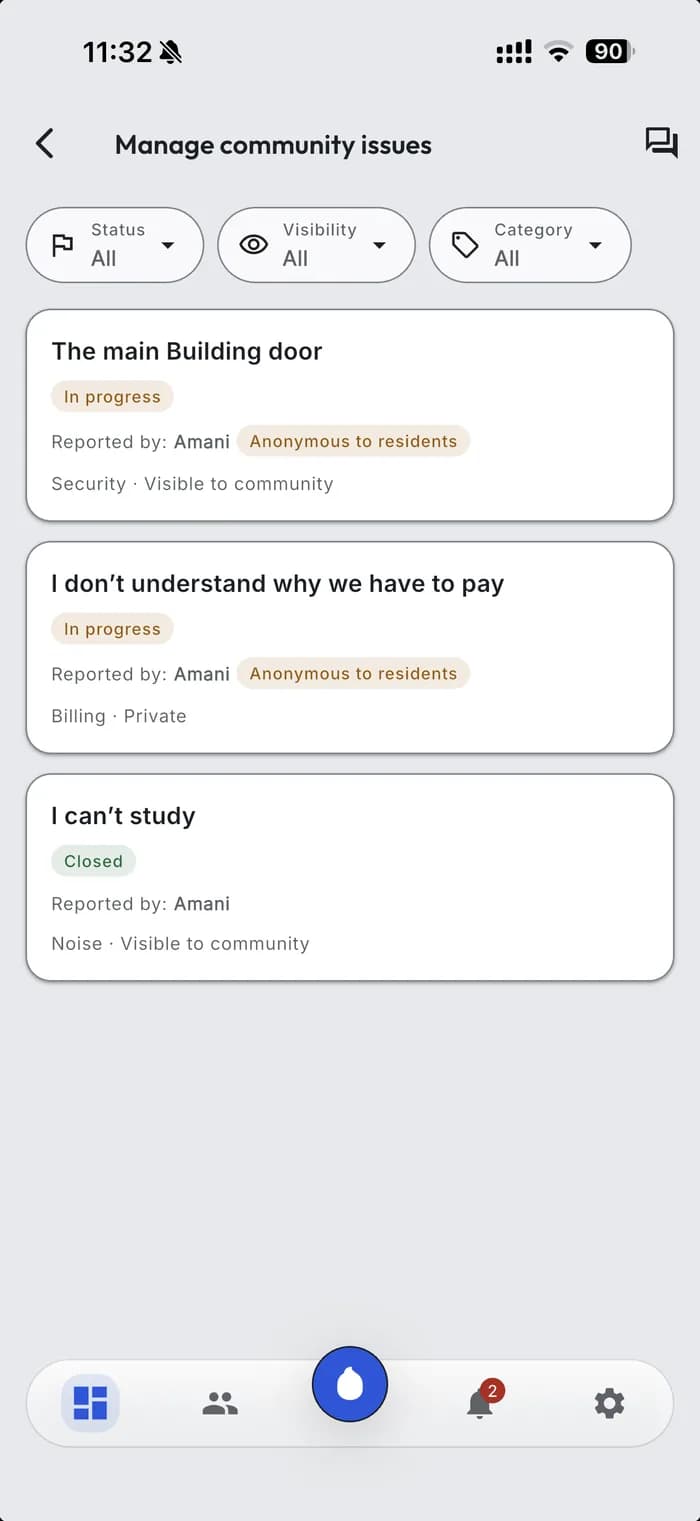
The manager's queue
The manager's queue

Managers triage the queue, add notes, and move each issue to resolved.

One issue in full
One issue in full

Category and photos, plus the manager's view with notes and status.

  • File an issue under a category — maintenance, noise, security, billing, or other — with a title and a description.
  • Attach up to three photos when you file.
  • File it under your name or anonymously — your choice.
  • Optionally ask for it on the community board; a manager approves that first.
  • Follow a clear status: open, in progress, resolved, then closed.
  • Managers add updates and resolution notes as the issue moves along.
  • On the board, neighbours add a count-only "me too" so management sees what matters most.
  • Get notified when the status or the notes change.
  • The board is identity-free — it never shows who filed what.
  • Billing and dues never appear on the community board.
  • A board request always waits for a manager's approval.
  • Managers triage and resolve; residents file and follow, they don't reopen.
  • Photos are attached when you file — that's where an issue's evidence lives.
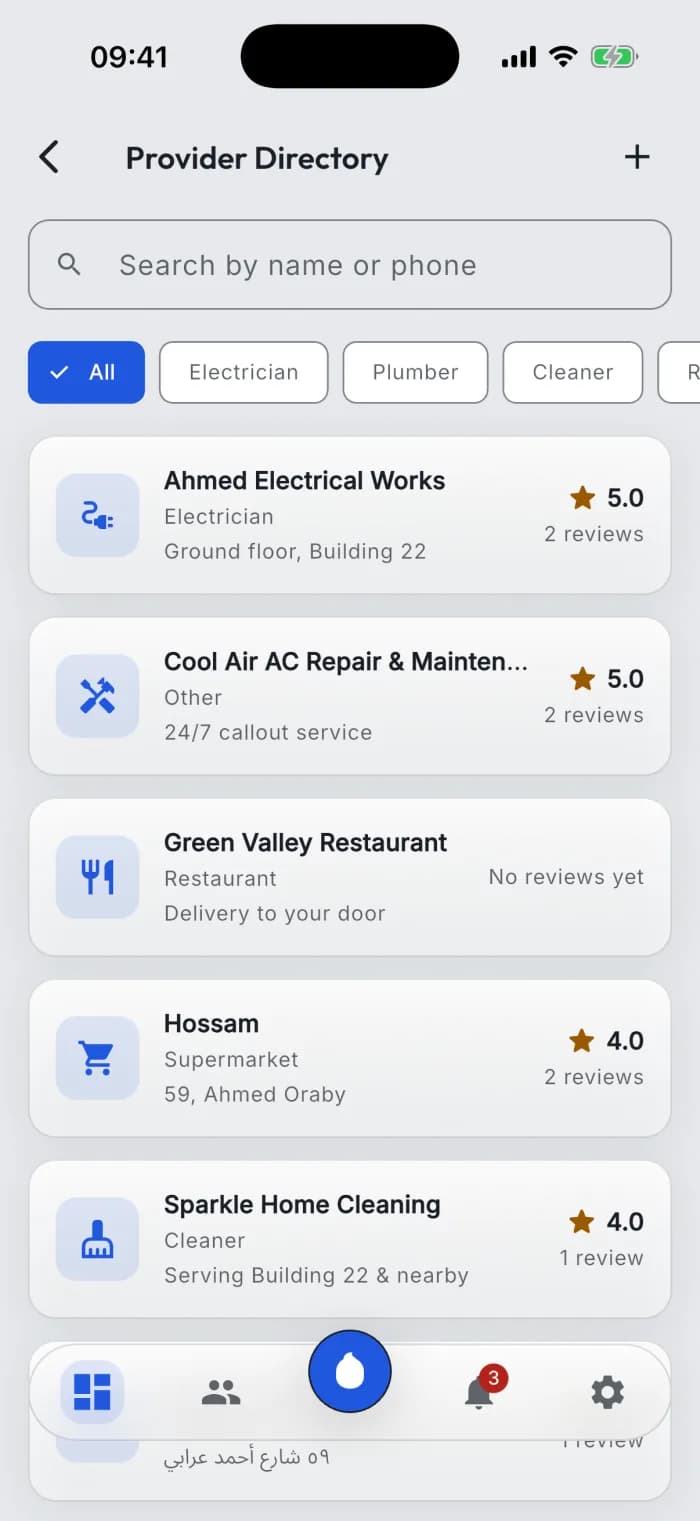
Service providers

The plumber your neighbors actually recommend.

A directory of plumbers, electricians, cleaners and guards — built by the community, rated by the people who used them.

  • Every provider on a card — trade, contact and rating
  • Residents leave a review once the job is done
  • The manager keeps the list clean — add, update, or remove
Service providers

More of what's inside.

Everything a community needs, in one place.

  • Expenses + receipt scanning
    Log expenses and scan the paper receipt straight into the record.
  • Proposals & voting
    Open proposals with clear results.
  • Announcements
    Broadcast to every resident; they react, they don't reply.
  • Invites & onboarding
    Add residents by contact, link, or by hand.
  • Units & compounds
    From a single building to a compound with tens of thousands of units.
  • Access passes
    Issue and manage gate and door access for the community.
  • Community issues
    Residents file problems; managers triage them to resolved on a shared board.
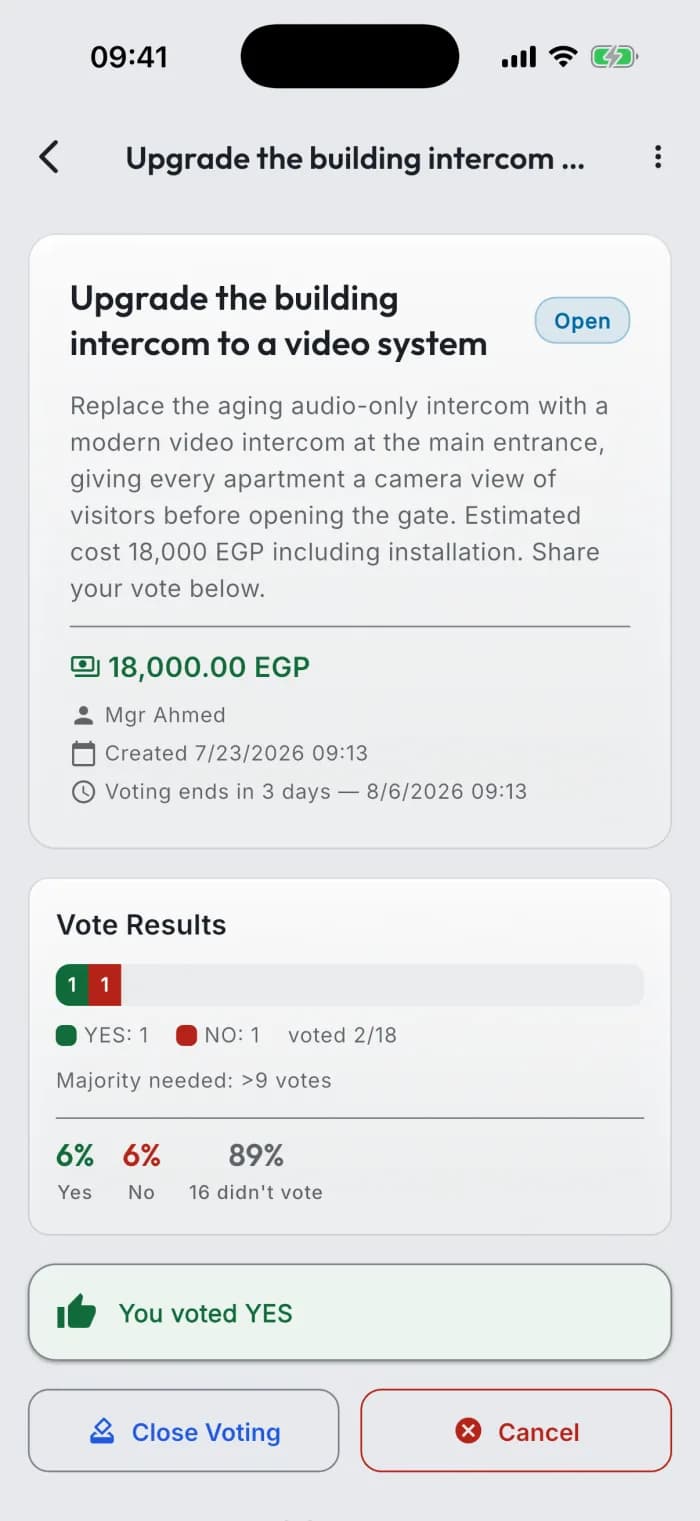
Decide together

Votes that are clear and fair.

Propose, set a deadline, and let the community vote — results tallied transparently.

Decide together
Download on the App StoreGet it on Google Play